LLM Usage & Costs
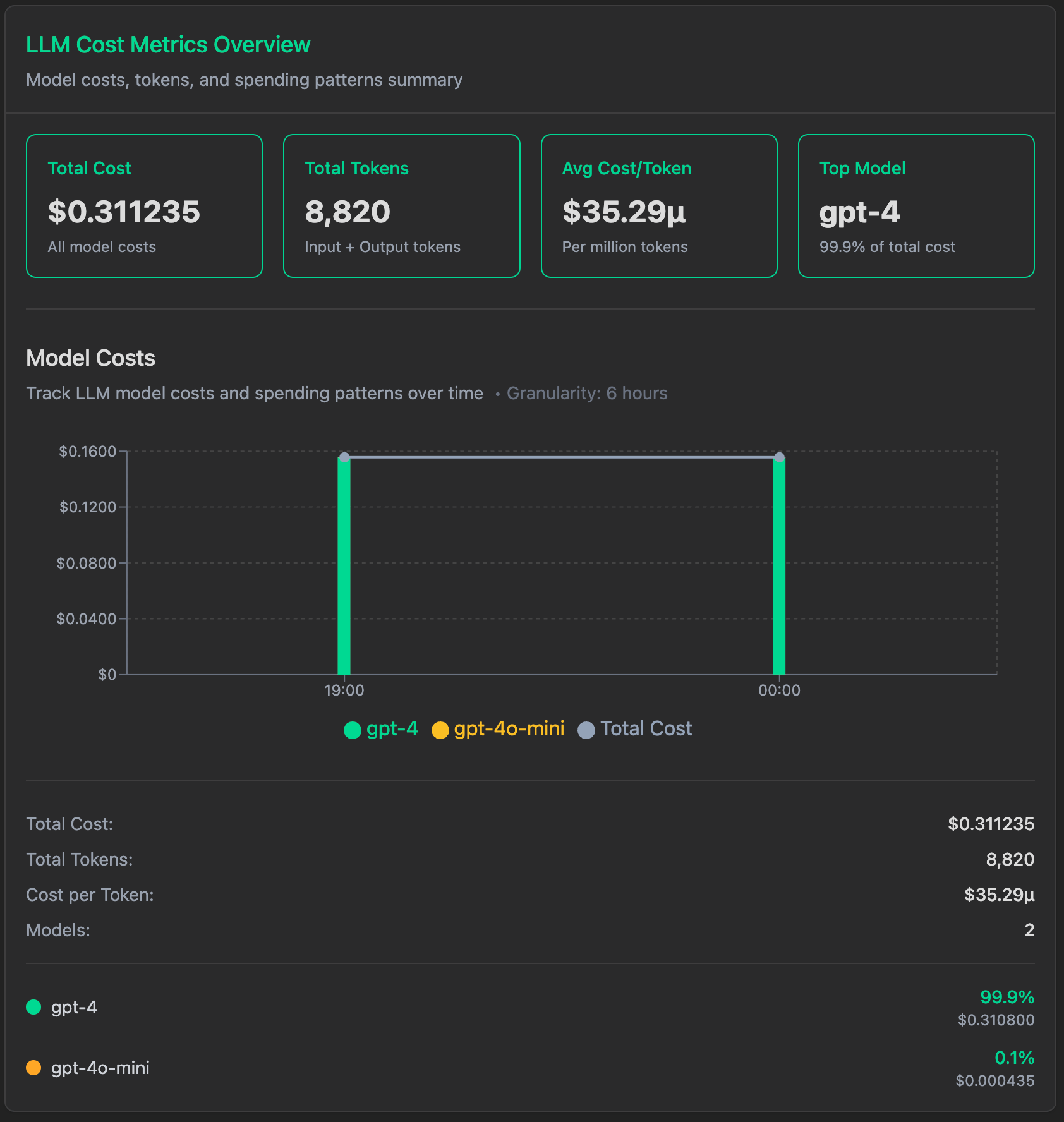
VoltOps automatically tracks and displays LLM usage statistics including prompt tokens, completion tokens, and total costs across all your AI interactions. Monitor your spending, optimize token usage, and analyze cost patterns in real-time.
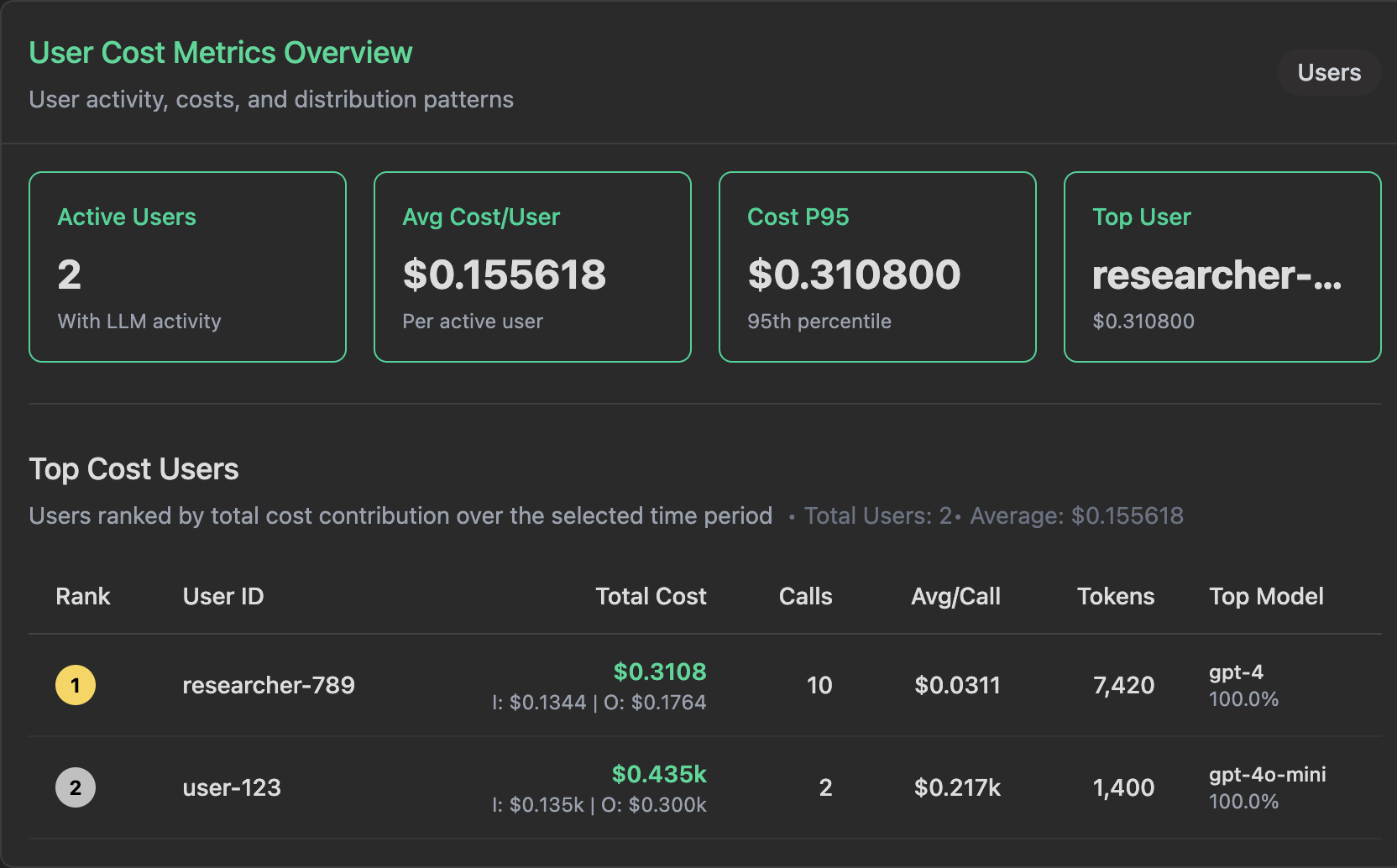
Automatic Pricing Calculation
VoltOps calculates cost in two ways:
- When the provider returns a billed cost, VoltOps uses that exact value.
- When the provider does not return cost data, VoltOps falls back to model-based pricing using the model name and token usage.
This gives you instant cost visibility without manual configuration while keeping billing as accurate as possible for routed and provider-specific setups.
Automatic Model Detection
VoltAgent automatically captures model information and calculates costs from your agent configuration. No manual specification required.
Provider-Supplied Costs
Some providers return the actual billed amount in the model response metadata. When that data is available, VoltOps stores and displays the provider-reported value instead of recalculating cost from static pricing tables.
This is especially important for router providers and BYOK setups, where the final billed amount may differ from a simple token-based estimate.
OpenRouter
When you use OpenRouter through the AI SDK, VoltOps prefers OpenRouter's real cost fields over internal pricing tables.
VoltOps uses the first available value in this order:
usage.cost_details.upstream_inference_costusage.cost- Internal model pricing fallback
If OpenRouter includes a more detailed breakdown, VoltOps also stores:
usage.cost_details.upstream_inference_input_costusage.cost_details.upstream_inference_output_cost
This makes OpenRouter cost tracking more accurate, especially when you use @openrouter/ai-sdk-provider or run BYOK configurations.
To make sure OpenRouter usage accounting is included in the response metadata, enable it on the model you pass to Agent:
import { Agent } from "@voltagent/core";
import { createOpenRouter } from "@openrouter/ai-sdk-provider";

const openrouter = createOpenRouter({
  apiKey: process.env.OPENROUTER_API_KEY,
});

const agent = new Agent({
  name: "cost-aware-agent",
  instructions: "Answer clearly and concisely.",
  model: openrouter("openai/gpt-4o-mini", {
    usage: {
      include: true,
    },
  }),
});

const result = await agent.generateText("Explain how observability helps with AI cost control.");

console.log(result.text);
With this setup, VoltAgent automatically forwards OpenRouter usage metadata into observability spans, and VoltOps will prefer the provider-reported cost over static model pricing.
If you stream responses, enable the same usage: { include: true } option on the model and read provider metadata from the final result in onFinish, not from intermediate chunks.
Custom Cost Integration
If your provider does not return billed cost metadata, or if you want to apply your own billing formula, you can set cost attributes yourself in a VoltAgent hook.
For text generation operations such as generateText and streamText, onEnd is a convenient option because it gives you both the normalized usage object and the current traceContext.
import { Agent, createHooks } from "@voltagent/core";

const agent = new Agent({
  name: "custom-cost-agent",
  instructions: "Answer clearly and concisely.",
  model: "openai/gpt-4o-mini",
  hooks: createHooks({
    onEnd: async ({ output, context }) => {
      if (!output || !("usage" in output) || !output.usage) {
        return;
      }

      const promptTokens = output.usage.promptTokens ?? 0;
      const completionTokens = output.usage.completionTokens ?? 0;

      const inputCost = (promptTokens / 1_000_000) * 0.15;
      const outputCost = (completionTokens / 1_000_000) * 0.6;
      const totalCost = inputCost + outputCost;

      const span = context.traceContext.getRootSpan();

      span.setAttribute("usage.input_cost", inputCost);
      span.setAttribute("usage.output_cost", outputCost);
      span.setAttribute("usage.total_cost", totalCost);
    },
  }),
});
Do not treat this as a universal pattern for every operation. Some flows, including generateObject, streamObject, and cancellation or error paths, can end the root span before onEnd runs. If you need custom cost attributes to be recorded reliably across every operation type, set them earlier in your provider integration or emit them directly through OpenTelemetry instrumentation.
Use these attributes for custom cost reporting:
usage.input_costusage.output_costusage.total_cost
If you only have a single final billed amount, set usage.total_cost.
Use this approach when:
- Your provider does not expose billed cost directly
- You have custom internal pricing or markups
- You want cost tracking based on your own accounting rules
Raw OpenTelemetry Instrumentation
If you send your own OpenTelemetry spans instead of relying on VoltAgent's automatic instrumentation, include these attributes when available:
usage.costusage.cost_details.upstream_inference_costusage.cost_details.upstream_inference_input_costusage.cost_details.upstream_inference_output_cost
If these fields are not present, VoltOps falls back to token-based pricing using the model and provider information on the span.
Usage Statistics Display
VoltOps provides detailed token usage breakdowns in your dashboard:
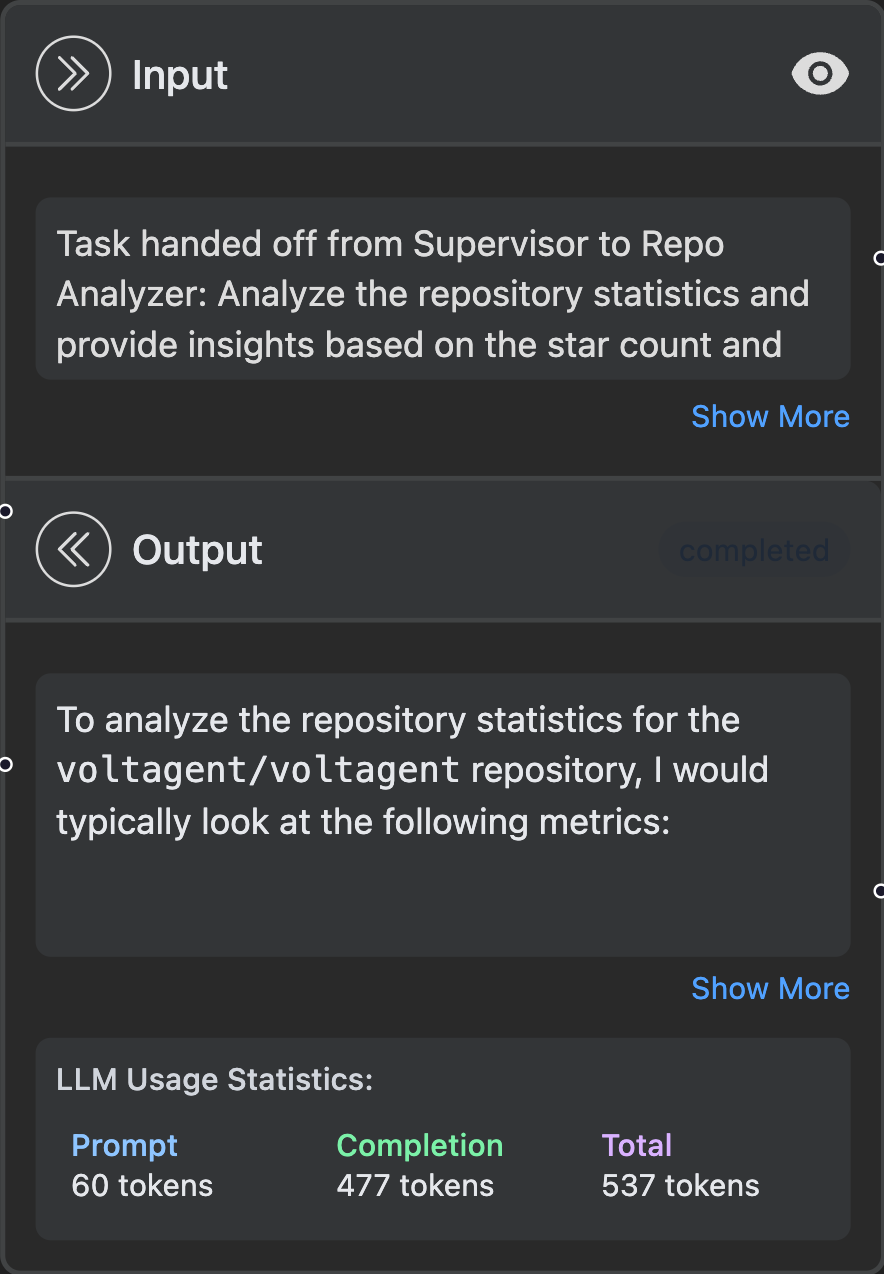
This gives you instant visibility into:
- Prompt tokens: Input text sent to the LLM
- Completion tokens: Generated response from the LLM
- Total tokens: Combined usage for accurate cost calculation
- Cost breakdown: Provider-reported billed cost when available, otherwise real-time pricing based on model usage